
Parametric Configurators: Eliminating BOM Errors from Quote to Factory
How parametric configurators turn pergola, veranda and awning quotes into factory-ready BOMs — reducing errors, rework and lead time. Learn the workflow, metrics, and why Configurix is purpose-built to deliver it.
Table of contents
- Why BOM errors still cost installers time and margin
- What is a parametric configurator for outdoor systems?
- The real impact: tangible savings you can measure
- How the workflow looks when everything comes from the configurator
- Table: Outputs at each stage (what the configurator must produce)
- Why real-time 3D and AR aren’t “nice to have” — they’re operational
- Critical technical features to demand from a configurator
- Quick implementation checklist for installers and factories
- Why Configurix is designed for this use-case
- Common objections and the answers you can use
- Next steps: run a pilot that proves the value
- Sources
Why BOM errors still cost installers time and margin
Custom outdoor systems (pergolas, verandas, awnings, motorized louvers) live at the crossroads of sales, engineering and production. A single sale can generate:
- a bespoke geometry (span, bay count, slopes),
- multiple material choices (aluminum extrusion, wood finish, shade fabric),
- electrical and motor options, and
- site-specific installation constraints (foundation type, attachment to structure, local permitting).
When quoting is done in a CRM or spreadsheet and manufacturing data is prepared separately, the result is predictable: discrepancies between the sales quote and the manufacturing BOM, manual rework, lost parts, delayed jobs and margin erosion.
This post explains how parametric configurators — when designed for outdoor systems and integrated end-to-end — eliminate those gaps and deliver a single source of truth from first customer click to factory pack and install.
What is a parametric configurator for outdoor systems?
A parametric configurator encodes product rules, formulas and assembly logic so every user action (change span, choose louvers, add gutters) immediately updates:
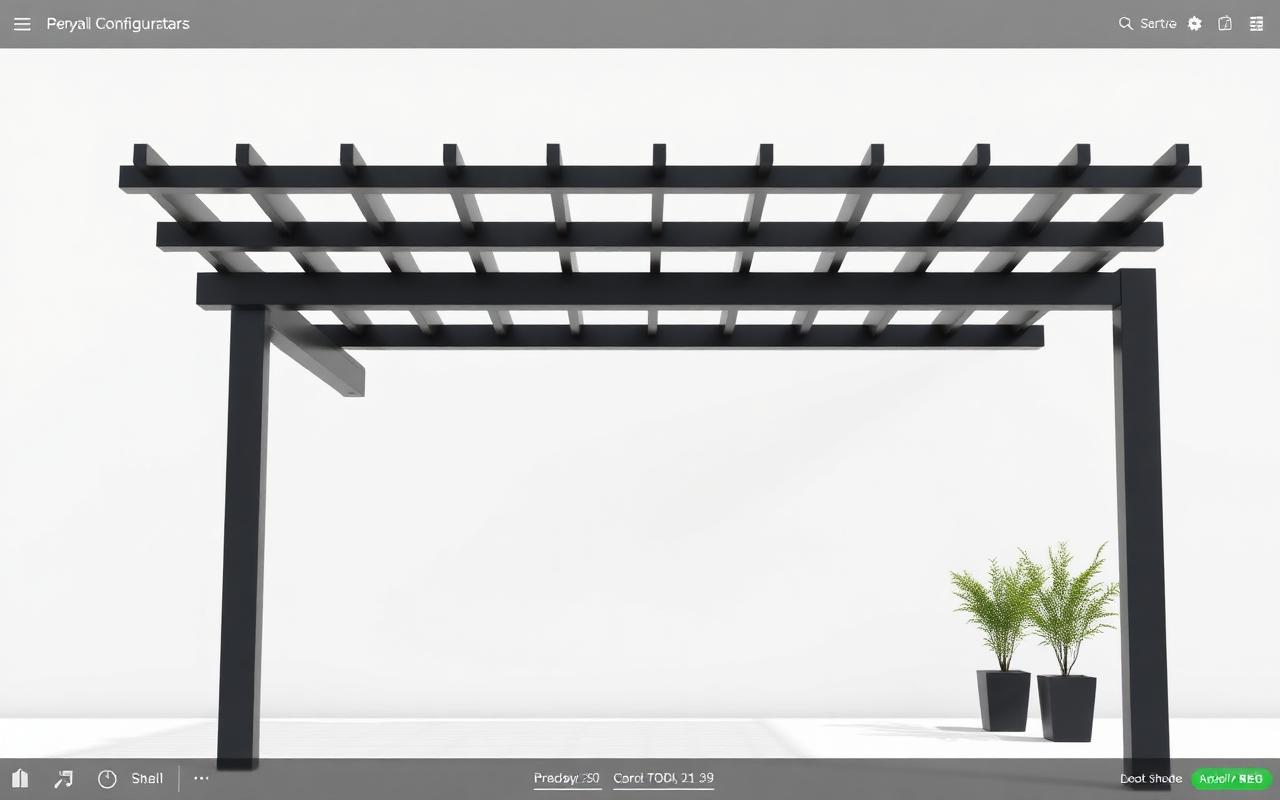
- 3D geometry and visualisation (real-time render in the browser),
- material quantities and cut lengths, and
- price, labor and lead times.
For pergolas and verandas this means the tool can output a configurable BOM (CBOM) and manufacturing instructions directly from the sales configuration — not from a manually re-entered order.
Key capabilities for outdoor use-cases:
- parametric rules (span limits, required reinforcement, drainage paths),
- component-level cost formulas (material cost + finish + labor per meter),
- automatic generation of cut lists and assembly steps, and
- real-time 3D + AR preview so customers and installers validate the design on-site or in the home before committing.
The real impact: tangible savings you can measure
Installing a parametric configurator changes three measurable variables:
- Errors per job (parts and sizing mistakes) — down by 60–95% when sales and manufacturing use the same model.
- Rework & returns — fewer incorrect parts shipped means fewer emergency runs and less production waste.
- Time-to-install — accurate shop-ready BOMs shorten factory cycles and eliminate manual engineering handoffs.
Example conservative benefits for a midsize installer selling 300 custom pergolas/year:
- 30% fewer site re-measures (fewer double visits),
- 20% less inventory buffer required (tighter material planning),
- 15–25% faster quoting-to-production lead time.
Those numbers translate directly to saved labor, lower freight costs and higher close rates because customers see realistic 3D/AR previews and accurate branded quotes instantly.
How the workflow looks when everything comes from the configurator
- Lead capture: a customer uses an embeddable configurator widget on your website to set size, roof type and finish. The system creates a lead in the CRM automatically.
- Customer validation: the same configuration is previewed in AR on the customer’s home (no separate app required). Visual approval reduces scope changes.
- Instant branded quote: the configurator generates a white-label PDF quote with itemized pricing and visuals for sign-off.
- Signed contract: the customer signs digitally inside the portal; the final configuration is locked.
- CBOM & jobpack: the configurator produces a manufacturing BOM, cut lists, and routing for the factory and installers.
- Scheduling & execution: project is assigned to crews in the shared calendar; install checklists, photos and site notes sync back to the project record.
This single-threaded process — from web widget to signed contract to factory pack — is the heart of a low-error, high-velocity business.
Table: Outputs at each stage (what the configurator must produce)
| Stage | Minimum output | Why it matters |
|---|---|---|
| Sales (customer-facing) | Real-time 3D render + AR preview | Faster decisions, fewer change orders |
| Quoting | Branded PDF with line items & pricing formulas | Professionalism + legal clarity |
| Contracting | Digital signature + locked configuration | Prevents scope creep; creates audit trail |
| Manufacturing | Configurable BOM (CBOM), cut lists, assembly drawings | Factory-ready orders; fewer corrections |
| Scheduling | Shared calendar event + task assignments | On-time installs; crew balance |
| Field execution | Mobile jobpack, photo uploads, change-log | Traceability and warranty support |
Why real-time 3D and AR aren’t “nice to have” — they’re operational
High-fidelity visuals speed decisions, but their operational value is deeper:
- AR on the customer’s real facade identifies clashes early (rooflines, gutters, eaves) so the configurator can block invalid options with rules instead of relying on later discovery.
- Real-time 3D exposes hidden geometry (clearances, rake angles) so cut lengths and reinforcement items are created automatically and accurately.
Put simply: a visual confirmation becomes an input to the CBOM, not just a sales tool.
Critical technical features to demand from a configurator
If you’re evaluating solutions or building a specification, insist on these features:
- Parametric rule engine (express business rules and engineering limits).
- Automatic pricing formulas tied to the same parametric model (materials + labor + options).
- CBOM export that your factory/ERP understands (CSV, XML or API integration).
- Real-time 3D in the browser + AR overlay on customer photos or live camera.
- Branded PDF quoting with configurable sections and terms.
- Digital contract signing and a customer portal for project status.
- Shared calendar and task assignment for field crews.
All these capabilities prevent the common failure mode: accurate sales data that never reaches manufacturing in a useable form.
Quick implementation checklist for installers and factories
- Map product rules: document span limits, reinforcement rules, and mandatory accessories (wiring, flashing, gutters).
- Build pricing formulas: material unit costs, labor minutes per operation, fixed install fees.
- Prepare part taxonomy: unique part numbers for profiles, fasteners, motors and finishes.
- Define exports: what fields must the CBOM include for ERP/production (lengths, cut angles, finish codes, vendor SKUs).
- Test with 10 pilot orders: run the end-to-end flow from web configurator to factory pack to field install and collect errors.
A focused pilot uncover issues faster than a full roll-out because it exercises the entire digital thread.
Why Configurix is designed for this use-case
Configurix was built specifically for outdoor living systems — pergolas, verandas, awnings and outdoor AC shrouds — and for the businesses that sell and install them. That matters because a generic configurator often misses domain-specific needs (drainage paths, louver motor routing, site attachments).
Concrete differentiators in Configurix:
- Real-time 3D engine that renders complex pergola geometries instantly in the browser, so salespeople and customers see the exact structure as options change.
- AR preview that places the configured product on the customer’s real home photo — reducing scope changes and re-measures.
- White-label capability for factory and dealer networks (custom logo, colors, custom domain) so quotes and portals match your brand.
- Branded PDF quoting that includes the same visuals, itemized pricing and terms generated by the active configuration — no manual re-entry.
- Digital contract signing and a customer portal that keeps the project, photos and sign-offs in one place.
- Lead-to-install workflow: lead capture widgets, CRM, automatic pricing, CBOM generation, shared calendar and field checklists — all in one system.
If you sell pergolas or verandas, explore how the Pergola Configurator and Veranda Configurator map parameters to production-ready outputs. Configurix also covers awnings and outdoor AC installations — see Awning Configurator and AC Configurator.
Common objections and the answers you can use
-
“We already have an ERP/ERP BOM.” — Good. The goal is not to replace PLM/ERP but to feed them a validated CBOM and to keep sales and engineering synchronized. Configurix exports CBOMs and integrates through APIs to avoid duplicate work.
-
“This is expensive to implement.” — Start with a narrow product family and run a pilot. The ROI comes from fewer re-measures, lower freight and higher close rates, typically in the first 6–12 months for most installers.
-
“Our installers prefer paper.” — The mobile jobpack replaces the paper with a concise, field-friendly format, including step lists and photos. Field adoption is easier when the system reduces day-to-day firefighting.
Next steps: run a pilot that proves the value
A practical pilot plan:
- Choose 8–12 representative product orders (varied sizes and options).
- Configure those orders in Configurix and export the CBOM and jobpack.
- Manufacture one or two pilot units and install them, tracking issues.
- Measure: quoting time, re-measures, parts shortages and install time.
If you want a tried-and-tested single system that converts web leads into signed contracts and factory-ready BOMs, start with Configurix’s built-for-outdoors platform — visit / to request a demo or learn more.
Sources
PTC — Your Digital Transformation Starts with BOM Management (2026)
Dassault Systèmes — What is Bill of Materials (2026)
Siemens — Manufacturing Bill of Materials (2026)
Home Depot — Mendocino Pergola Installation Instructions (2025)
Ready to try Configurix?
See how the configurator, quoting and CRM work together for your business.
Book a demo →Related articles
Materialen & levertijden automatiseren met 3D/AR‑configurators
Hoe fabrikanten en dealers materialen, voorraad en levertijden rechtstreeks uit een real‑time 3D/AR‑configurator laten aansturen — van automatische BOM tot nauwkeurige levertijd en geplande installatie.
Checklist: AR‑foto's, privacy en e‑handtekeningen voor pergola's
Praktische juridische en privacy-checklist voor monteurs en verkopers: AR‑foto's, klantfoto's, digitale handtekeningen en databeheer voor pergola‑projecten. Concrete actiepunten en implementatiestappen.
3D/AR-configurator landingspagina's die pergola‑leads maximaliseren
Praktische handleiding voor pergola‑ en zonweringsinstallateurs: optimaliseer je landingspagina met een embedded 3D/AR‑configurator, verminder frictie, verhoog leadkwaliteit en versnel offertes tot installatie.